MRN AI Smart Business Dashboard: Automate Your Business
Ever wondered if one tool could truly replace a dozen apps and give you back your day? This dashboard was built to do exactly that. It brings tasks, calendars, documents, and analytics into one place so small teams can move faster and cut chaos.
Integrations with Google, Outlook, HubSpot, and Salesforce pull emails, meetings, and customer records into shared workflows. Real-time dashboards and clear reports turn raw data into fast decisions.
Set up a pilot—email triage or invoice flow—and watch priorities surface. You’ll log in once, focus on what matters, and spend less time chasing status updates. With practical templates and easy onboarding, teams see value in days, not months.
Key Takeaways
- One login gives you a central hub for work across tools.
- Integrated calendars and CRMs keep customer context in view.
- Real-time dashboards make reports simple and actionable.
- Quick pilots prove value fast without heavy setup.
- Small teams can reduce meetings and boost measured progress.
Meet the dashboard built for busy small business owners
Clear wins, fast. This platform trims busywork, centralizes workflows, and helps you reclaim hours each week. It speaks directly to owners who need simple setup and fast payoff.
Why it works for real teams:
- Designed for owners who wear many hats — priorities get set automatically so your day flows.
- Connect essential tools in minutes and see meetings, follow-ups, and tasks where you actually work.
- Clean, friendly interface means teammates will use it, which cuts down on status meetings and “where is that?” pings.
- One prioritized feed replaces detective work with context, deadlines, and clear next steps.
You’ll quickly notice the time savings and how many hours return to your week. Start with a small pilot like client follow-ups and scale up as you see results. Ready to try it? Start a free trial and invite your first teammate to share the load.
Why small teams love “everything in one place” automation
When your work sits together, teams stop hunting for context and start shipping results.
Save hours each week. Automate routine updates like status pings, reminders, and note clean-up so nothing slips through the cracks and your team reclaims focus time.
Make faster decisions. Unified data and clear dashboards remove guesswork. With facts already organized, managers can act confidently and course-correct before problems grow.
Reduce tool fatigue. Fewer apps means less context switching and more consistent execution. Teams spend energy on work, not on hunting for information.
- Real-time views keep management aligned and cut status meetings.
- Summaries of meetings and emails create assigned next steps with owners and due dates.
- Cleaner information flow improves overall performance across projects.
- Start with one high-friction workflow, measure lift, then scale—grab a free trial: https://businessgoeslocal.com/MRN-AI-Smart-Business-Dashboard.
MRN AI Smart Business Dashboard AI automation suite
Turn long threads and buried attachments into concise actions that land in the right hands.
Generative assistants create, summarize, and triage work across your connected systems. They draft emails, summarize long threads, and recommend next steps. They can also send messages and trigger flows so follow-ups happen automatically.
The document workflow extracts key data from emails, PDFs, and forms without custom modeling. That information becomes structured tasks, with owners, due dates, and tags assigned automatically.
How it helps
- Spin up assistants to draft content, summarize threads, and suggest next actions.
- Triage inbound requests—classify, prioritize, and route work across systems with no manual sorting.
- Extract fields from invoices, intake forms, and contracts and convert them into live tasks.
- Connect to top models and extend via APIs so outputs improve as processes evolve.
You’ll feel the power on day one when your inbox turns into clear, actionable items. Launch a pilot—process yesterday’s emails into tasks and schedule follow-ups automatically. Start your free trial now: https://businessgoeslocal.com/MRN-AI-Smart-Business-Dashboard.
Integrations, APIs, and seamless workflows your team will actually use
Connect the apps your team already uses and watch tasks, calendars, and contacts sync in minutes.
Easy setup for non-technical teams: Link Google Workspace and Outlook in a few clicks to sync calendars, emails, and meetings with your work plans. Hook up HubSpot or Salesforce so client changes flow into project tasks automatically.
Connect favorites like Google, Outlook, and CRM tools to streamline tasks
Keep notes, agendas, and action items synced so meetings turn into progress without manual transcription. Your data moves between systems so everyone sees the same context.
Robust API to create, update, and manage tasks programmatically
Start without code and add the API when you need scale. Developers can push or pull data to create, update, and manage projects and tasks for repeatable workflows.
Real-time dashboards and auto-generated reports your managers can trust
Live dashboards give management instant visibility into workloads and blockers. Auto-generated reports save hours each week and make status updates simple to share.
- Connect two tools in minutes and watch tasks appear.
- Use the API to automate high-volume work when you’re ready.
- Result: synchronized systems and a team that moves in step.
Try it now: start connecting apps in minutes: https://businessgoeslocal.com/MRN-AI-Smart-Business-Dashboard.
High-impact use cases that pay off right now
Small pilots focused on inboxes, invoices, or approvals often deliver the fastest return. Pick one friction point and measure gains in days.
Clear, practical wins:
- Route and respond to customer inquiries faster with rapid triage and suggested replies you approve in seconds.
- Turn a messy invoice PDF into clean line items and due dates in your system with no custom model training.
- Auto-generate follow-up emails after sales calls, including summarized notes and next steps assigned to owners.
- Prioritize support tickets by sentiment and urgency so the team focuses on the right work first.
- Convert meeting notes into tasks automatically, saving hours each week across your org.
- Automate internal approvals like estimates or SOWs with smart routing that keeps projects moving.
- Extract structured data from forms and agreements into your project tracker or CRM to eliminate double entry.
What to expect: You’ll see a performance lift quickly as repetitive steps get handled and people focus on higher-value work.
Pick one use case to pilot this week and measure saved hours. Start free: https://businessgoeslocal.com/MRN-AI-Smart-Business-Dashboard.
Trusted approach: AI that works with people, not instead of them
Built-in review stages make sure suggested actions match your company policies and voice.
Human-in-the-loop validation keeps your team in charge. Drafts and summaries are proposed, and people approve final edits before anything posts or changes.
Guardrails define where suggestions stop and human review begins. That reduces risk and protects sensitive data by design.

Managers get clear oversight tools. They can view performance, tweak rules, and keep management aligned with policy and brand tone.
Transparent logs and audit trails show who made what change and when, which builds trust across the company.
- Drafts are suggested; your people decide.
- Approval steps let teams check summaries and classifications.
- Audit logs, monitoring, and role controls keep everything accountable.
Try a human-in-the-loop workflow where suggestions land in your apps and the team approves next steps: https://businessgoeslocal.com/MRN-AI-Smart-Business-Dashboard.
Fast setup, faster value: from sign-up to first automation
Start small, see results fast, and build momentum.
Quick onboarding gets you to impact in hours, not weeks. Sign up, connect your calendar and email, and you’re already on the path to your first automation. Pick a priority—sales follow-ups, support triage, or invoice processing—and choose a prebuilt template to begin.
The system uses natural language setup and ready-made templates so small teams don’t need extra resources or complex training. Map fields for your tools once, and the data will flow automatically across your stack going forward.
Onboarding checklist: connect accounts, define priorities, launch a pilot
- Sign up and connect email + calendar to sync events and messages.
- Choose a template for your top priority and run a quick test.
- Map fields to your tools so contact, invoice, and task data align.
- Review outputs with your team and tweak prompts or rules.
Hit time-to-value quickly with prebuilt workflows and templates
Templates are built for small teams. You can fine-tune prompts and rules in minutes so outputs match your voice and process. Expect a first result the same day, then iterate—compound wins beat big, risky rollouts.
| Step | What to do | Expected result |
|---|---|---|
| Sign up | Connect email and calendar | Sync begins; basic tasks appear |
| Pick a template | Select sales, support, or invoice flow | Prebuilt automation ready to test |
| Map fields | Link tool fields once | Consistent data across tools |
| Test & review | Run a test and adjust rules | First usable result same day |
Get started now and ship your first workflow in under an hour: https://businessgoeslocal.com/MRN-AI-Smart-Business-Dashboard.
Prove ROI: track performance, resources, and impact in real time
Turn live activity into straightforward metrics that prove the value of improvements.
See work move from chaos to clear results. Live dashboards reveal progress, blockers, and capacity so managers stop chasing status and start making timely decisions.
Auto-generated reports cut the time spent assembling updates. Those reports show hours saved and throughput gains without spreadsheet labor.
Leaders can track cycle time, response time, completed tasks, and SLA adherence to measure delivery reliability.
- Visualize which workflows deliver the most value and double down on winners.
- Capacity planning gets practical when you see who’s overbooked and where to shift load.
- Monitoring usage highlights adoption and bottlenecks so you fix them fast.
| Metric | What it shows | How to act |
|---|---|---|
| Cycle time | Average time to complete tasks | Adjust staffing or simplify steps |
| Response time | Speed of replies to clients | Set SLA targets and route work faster |
| Throughput | Completed tasks per period | Invest in top-performing workflows |
Set your baseline now and celebrate real ROI in 30 days. Start your trial and turn on dashboards and reports immediately: https://businessgoeslocal.com/MRN-AI-Smart-Business-Dashboard.
Security, privacy, and responsible AI baked in
Strong access controls and continuous monitoring keep sensitive processes safe and auditable. We build protections that let teams run workflows without risking customer trust.

Guardrails and role-based access to protect company and customer data
Limit who sees what. Role-based permissions ensure only authorized people view sensitive records. That protects your company and your customers.
Guardrails constrain how generative features act so outputs stay within policy and match your brand voice.
Human-in-the-loop review for accurate, compliant outcomes
Critical workflows include approval steps. Humans validate results for finance, HR, and legal flows.
This keeps decisions accurate and compliant before any action is taken.
Monitoring, logging, and audit trails to track usage and performance
Automated monitoring catches anomalies and helps you tune systems for speed and accuracy.
Logs create a clear trail so auditors can track who did what and when. Auto-generated compliance reports simplify client reviews.
| Control | What it does | When to use |
|---|---|---|
| Role-based access | Limits views and edits to assigned roles | Protects sensitive client records |
| Human review | Approval checkpoints before execution | Finance, HR, legal approvals |
| Monitoring & logs | Detects misuse and records events | Incident response and audits |
| Compliance reports | Auto-generated summaries for stakeholders | Regulatory or partner reviews |
Connect to enterprise-grade providers while keeping governance in place. Privacy and cookie controls let users choose consent options that match modern standards.
Start a trial and review the security center on day one to configure access, approvals, and reporting: https://businessgoeslocal.com/MRN-AI-Smart-Business-Dashboard.
How MRN compares to traditional project tools and point solutions
Replace scattered to-do lists and schedulers with a unified hub that turns inputs into finished work faster.
Old-school tools track tasks but rarely clear the busywork. Point solutions add tabs and handoffs, not outcomes.
Consolidated platforms bring calendars, notes, and triage into one place and layer generative helpers on top so work moves itself forward.
From to-do lists and schedulers to notetakers
Instead of buying many apps for notes, scheduling, and triage, you get a single interface that does them all. Integrations with Google, Outlook, and major CRMs keep your ecosystem intact.
Automation + generative advantage: accelerate idea-to-ROI
Co-pilots convert prompts and simple rules into shippable workflows. That speeds idea-to-ROI and boosts team performance.
“Consolidation reduces context switching and makes outcomes measurable.”
- Less app sprawl — fewer logins and less duplicate work.
- Dashboards show your business at a glance so managers act proactively.
- During your trial, replace two redundant tools and measure the lift in a week: https://businessgoeslocal.com/MRN-AI-Smart-Business-Dashboard.
| Old approach | Consolidated hub | Result |
|---|---|---|
| Multiple point tools | One place for tasks, notes, and scheduling | Fewer tabs; less rework |
| Manual handoffs | Co-pilots and workflows | Faster idea-to-ROI |
| Siloed data | Integrated with email and CRM | Better performance and visibility |
Get started today: try the dashboard, invite your team, scale what works
Begin a quick pilot to clear a recurring bottleneck and free up your team’s time. Start small and prove value fast with a focused test like email triage or invoice flow.
How to begin:
- Start your free trial now and create your first dashboard in minutes: https://businessgoeslocal.com/MRN-AI-Smart-Business-Dashboard.
- Connect calendar, email, and CRM, then launch a template to feel instant impact.
- Invite your team so everyone sees priorities and reduces meeting load.
- Ship your first automation today and track how many hours you save by week’s end.
Use built-in guides to protect resources and avoid long setups. As quick wins stack, roll the tool across projects like onboarding or renewals and watch your business compound results. One small success per week keeps momentum and adoption high.
Start your free trial now
See it in action: spin up dashboards, connect systems, and ship your first automation. Ready to grow? Roll out across projects and track impact in one place.
Conclusion
Get a fast, reliable place to see work, spot blockers, and act with confidence.
Practical automation reduces routine work so your team buys back time and focuses on the work that grows the company.
One unified view turns scattered messages and tasks into clear data and next steps. That single view gives real insights into pipeline, delivery, and follow-ups.
Guardrails, human review, and monitoring keep trust high as you scale. Start with a short pilot, invite one teammate, and measure results in days.
Start your free trial now and launch a pilot today: https://businessgoeslocal.com/MRN-AI-Smart-Business-Dashboard. See the view that changes how your place of work runs—and get insights that compound over time.
FAQ
What does the MRN AI Smart Business Dashboard do for small teams?
It brings task management, reports, and integrations into one place so teams save time and reduce tool switching. The platform automates repetitive work, summarizes updates, and gives managers clear performance views to help with faster decisions.
How quickly can I set up and start seeing value?
Most teams connect core accounts, launch a pilot, and have a first automation running within a few hours. Prebuilt templates and an onboarding checklist speed time-to-value so you can measure impact fast.
Which apps and systems can I connect?
You can link common services like Google Workspace, Outlook, major CRM systems, and popular file stores. A robust API also lets developers create, update, and manage tasks programmatically to fit custom workflows.
How does document automation work here?
The platform extracts data from emails, PDFs, and forms, then turns that information into tasks, updates, or reports. That reduces manual data entry and speeds processes like invoice handling and customer follow-up.
Will this reduce the number of tools my team uses?
Yes. By centralizing workflows, notes, meetings, and tracking into a single view, teams cut app fatigue and focus on higher-value work. That boosts performance and makes priorities clearer.
Can managers trust the dashboards and reports?
Real-time dashboards and auto-generated reports are designed for accuracy and clarity. They pull synchronized data across systems so managers can monitor resources, capacity, and project health with confidence.
How are security and privacy handled?
The platform enforces role-based access, human-in-the-loop reviews for sensitive actions, and comprehensive logging for audits. These guardrails protect company and customer data while keeping workflows efficient.
Is there support for customization or advanced workflows?
Yes. Teams can use templates for common use cases or build custom automations with the API. That flexibility allows the platform to match specific processes like email triage, help desk routing, or billing automation.
How does the solution compare to point tools and project apps?
Instead of juggling separate to-do lists, schedulers, and note takers, this approach consolidates those functions and adds automation and generative assistance. The result is faster idea-to-impact and fewer coordination gaps.
Can I try it before committing?
A free trial is available so you can spin up dashboards, connect systems, and test key automations. Invite team members, run a pilot, and measure ROI before scaling across projects.

Streamline Your Business with MRN AI Smart Dashboard
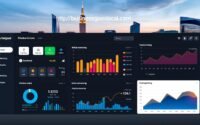
MRN AI Smart Business Dashboard: Passive Income Tools

MRN AI Smart Dashboard: Empower Your Entrepreneurial Success
About The Author
