MRN AI Smart Business Dashboard: No-Code AI Platform
Want a faster way to turn data into decisions without hiring a team?
This friendly app was built for small owners who need quick, measurable wins. MRN AI Smart Business Dashboard bundles pre-built tools and guided flows so users connect data, set goals, and get insights without writing code.
Drag-and-drop flows, forecasting blocks, and text analysis come ready to run. That means less spend than hiring an analyst and faster time to market. The design focuses on ease use and practical outcomes that fit lean teams and tight budgets.
If you want speed, clarity, and predictable results, you can try the dashboard today. Get started or see a demo at https://businessgoeslocal.com/MRN-AI-Smart-Business-Dashboard and launch your first predictive model—no IT ticket needed.
Key Takeaways
- Get quick insights without writing code using a guided, drag-and-drop app.
- Pre-built models speed forecasting, text analysis, and image tasks for users.
- Lower costs and faster results versus hiring data specialists.
- Designed for small teams: focus on decisions, not documentation.
- Try the demo or launch a predictive model today at the product link above.
Why you’re here: a simple dashboard to unlock AI wins without writing code
Chances are you’re here to get clear results fast, without a long tech setup.
Small business owners juggle time, costs, and a long to-do list. You want answers this quarter, not next year. That’s why a friendly app that connects your data and shows results matters.
What owners need now:
- Speed to value so decisions happen quickly.
- Lower upfront spend instead of hiring specialists.
- Clear visuals that turn numbers into action.
How a no-code approach matches your search intent
No-code platforms speed deployment with drag-and-drop flows, pre-built components, and guided steps. Users skip steep learning curves and assemble solutions visually, rather than wrestling with code.
| Need | What slows you down | How the app helps |
|---|---|---|
| Fast insight | Long dev cycles | Pre-built templates and AutoML |
| Lower cost | Expensive hires | Pay-as-you-go tools and fewer retainers |
| Clear decisions | Complicated reports | Actionable dashboards and guided steps |
Try it today — connect a CRM, spreadsheet, or POS and see where to act. Test-drive the dashboard and save time immediately: https://businessgoeslocal.com/MRN-AI-Smart-Business-Dashboard
Listicle: top ways a no-code AI dashboard pays off for small businesses
When time is tight, a fast, visual app that delivers usable insights wins the day.
Faster time to value with drag-and-drop workflows
Drag-and-drop workflows cut setup time. You link data, pick a template, and get results in hours, not weeks.
Lower costs versus hiring data scientists or engineers
Pre-built features reduce bills. Avoid heavy engineering retainers and expensive builds. That saves money month to month.
Real-time insights to guide decisions, not guesswork
Live analytics feed your daily choices. See trends, act fast, and turn a slow quarter into a strong one.
Scales on the cloud as you grow—no heavy setup
Cloud-ready platforms grow with you. Start small, add users, and keep performance without new servers.
- Guided onboarding and templates keep progress steady.
- Shareable dashboards align teams without long meetings.
- Pilot one use case, prove value, then expand.
| Benefit | What it replaces | Result in weeks |
|---|---|---|
| Workflows | Custom coding | 1–2 weeks |
| Pre-built tools & features | External consultants | Immediate savings |
| Cloud scaling | On-prem servers | No downtime |
See how quickly you can build your first workflow: start the app and prove value fast.
MRN AI Smart Business Dashboard no-code AI platform
Get a clear path from data to decisions in under an hour with a visual builder that anyone on the team can use.
What “no-code” really means for busy owners and teams
No-code here means a visual interface instead of scripts. Point, click, and drop components to build what you need. The result is a familiar, friendly tool that reduces friction for users and keeps technical debt low.
From setup to first insight: what to expect on day one
Expect fast setup: authenticate a spreadsheet or CRM, pick a template, and preview results. In minutes you can see a trend or simple forecast.
“Connect data, choose a template, and get your first signal—no code or long installs required.”
Key day-one steps:
- Connect a source and confirm fields.
- Drag a scoring or forecast component into the canvas.
- Preview outcomes, then share with teammates.
| Step | What it shows | Time |
|---|---|---|
| Connect data | Live fields and sample rows | 5–10 min |
| Select template | Pre-built features for scoring or forecasting | 2–5 min |
| Preview & share | First trend or score to act on | 5–15 min |
Try the MRN AI Smart Business Dashboard now: https://businessgoeslocal.com/MRN-AI-Smart-Business-Dashboard
Key features to look for in a no-code AI platform (and why they matter)
Prioritize interfaces that let non-technical users build and test workflows fast.
Intuitive interface and visual editors
Simple visual editors speed adoption. A clean interface helps teams drag, drop, and iterate without long training.
Pre-built machine learning models and automated workflows
Look for ready-made models so you can plug in data and get results quickly. Automated workflows chain tasks and remove repetitive steps.
Predictive analytics and natural language capabilities
Predictive tools surface trends before they cost you money. Natural language features let you ask questions in plain English and get clear answers.
Integrations with your data, apps, and analytics stack
Wide connectors to CRMs, spreadsheets, and analytics reduce copy-paste errors. Solid integrations keep pipelines reliable and results trustworthy.
Reliable customer support and learning resources
Strong customer support and clear docs shorten the learning curve. Look for role-based access and guidance so the right people see the right reports.
“A capable tool lets teams drag, drop, and iterate — the fastest route from idea to proof.”
- Evaluate how the tool handles missing fields and edge cases.
- Confirm role-based access controls and audit trails.
- Test models on a sample dataset before publishing to production.
Checklist: intuitive interface, pre-built models, predictive analytics, NLP, integrations, and helpful customer support — all geared to speed your first wins.
Explore these key features inside MRN AI: https://businessgoeslocal.com/MRN-AI-Smart-Business-Dashboard
Real-world use cases small businesses can launch without coding
Local shops and service providers can turn raw records into action in days, not months.
Connect CRM or spreadsheet data and let models rank opportunities. Reps see high-value leads first, so effort goes where it moves numbers.
Customer sentiment and text analysis
Run text checks on reviews and emails to find complaints or praise fast. Spot themes, route urgent issues, and reduce churn with timely replies.
Inventory and supply planning with predictive signals
Blend past sales, seasonality, and supplier feeds to forecast stock needs. You’ll cut overstocks and avoid last-minute rush orders.
Automations that cut repetitive tasks
- Auto-assign leads based on score so reps act immediately.
- Trigger follow-up emails when sentiment slips in a review.
- Reorder stock when forecasts hit low thresholds.
- Classify product photos or flag quality issues with lightweight image checks.
“Because the app handles analytics behind the scenes, users focus on decisions, not pipelines.”
Quick wins: dashboards translate raw data into next steps you can act on. Spin up a use case, measure results, and expand what works.
Ready to try one now? Spin up a use case in MRN AI today: https://businessgoeslocal.com/MRN-AI-Smart-Business-Dashboard
How no-code AI compares to traditional AI and low-code tools
When teams need results quickly, the path from idea to live feature matters more than perfect custom code.
Traditional AI emphasizes deep customization. It often uses machine learning models, NLP, and computer vision to meet exact needs. That strength comes with heavier budgets, longer development time, and skilled coding talent.
No-code platforms prioritize speed and accessibility. Builders rely on visual editors, pre-built modules, and connectors so non-technical users launch use cases fast. The trade-off is less fine-tuned control over advanced capabilities.

Speed, cost, and scalability trade-offs
Expect results faster with a visual tool, and costs usually run lower because you buy outcomes, not months of custom work.
- Traditional route: best for niche, highly specialized models but needs more time and budget.
- No-code route: great for common SMB scenarios and quick wins; cloud scaling handles growth without heavy infrastructure.
- Hybrid approach: pair a no-code app with selective APIs when you need extra customization.
“Pick the approach that fits the capabilities you need now, not distant ‘nice-to-haves’ that delay delivery.”
Compare by building one use case yourself: https://businessgoeslocal.com/MRN-AI-Smart-Business-Dashboard
Selection checklist: choose a dashboard that fits your needs today
Start by naming the one outcome that would change your month: higher conversions, fewer stockouts, or faster lead follow-up.
Define the problem, map data sources, confirm integrations
- Define the primary goal first—forecasting, churn reduction, or lead scoring—so tools map to outcomes.
- Inventory your data sources (CRM, POS, spreadsheets) and confirm connectors exist to avoid manual imports.
- Map fields and sample rows to spot gaps before you sign up.
Validate support, pricing, and scalability for SMB growth
Assess platforms on ease use: can users build apps in hours, not weeks?
Verify documentation and live support so you don’t wait when timelines are tight.
- Check pricing against expected value—start small and expand after clear ROI.
- Ensure the dashboard scales with your teams and apps without coding detours.
- Decide whether you’re prioritizing speed, explainability, or advanced features and rank those needs.
“Pilot one narrow use case to validate assumptions before rolling out broadly.”
Shortlist a tool that fits your current stack and team bandwidth, not just a future wish list. Evaluate MRN AI against this checklist today: https://businessgoeslocal.com/MRN-AI-Smart-Business-Dashboard
Set up to first win: a simple onboarding game plan
Start with one clear question and use the app to answer it in a single afternoon.
Keep the first setup small and measurable. Focus on one use case so you can see impact fast. This plan walks you from login to a shared result in a few short steps.
Connect your data and pick a starter use case
Step 1: Connect your core data source, like a CRM or spreadsheet. Run a quick health check for missing fields.
Step 2: Pick one starter use case—lead scoring or churn flags work well to get started and measure impact.
Train, test, deploy—then iterate fast
Step 3: Use drag-and-drop to define workflows: ingest, transform, score, and publish to your app view.
Step 4: Train and test models with guided learning screens. Sanity-check outputs before sharing with users.
Step 5: Deploy to your teams, capture feedback, and tweak thresholds or segments. Keep versions organized so you can roll back if needed.
Step 6: Repeat for a second use case. Momentum builds when early wins get visibility across teams.
“Because you’re building without writing code, you can revise and retest fast—no developer queue.”
Celebrate the first win to drive adoption. A visible outcome motivates learning and future iterations. Ready to get moving? Start your onboarding now and claim a quick win: get started.
Benchmarking against leading no-code AI platforms
Compare leading tools by the core capabilities that matter to small teams. Benchmarks should focus on features that turn raw data into repeatable wins: fast model building, clear reporting, and easy integrations.

What top tools offer: AutoML, natural language, image, and analytics
Top platforms commonly bundle AutoML for rapid model training, natural language for query-driven insights, and image features for classification or tagging.
Examples: DataRobot emphasizes governance and end-to-end automation. Akkio and Obviously.AI speed up predictive use cases for sales and marketing. Lobe simplifies local image training while Google AutoML offers strong vision and NLP at cloud scale.
- AutoML: faster building and testing of machine learning models.
- Natural language: ask questions in plain text and get instant predictions.
- Image: classify photos, tag items, and flag quality issues.
- Analytics: built-in reporting and app views you can share with stakeholders.
Where SMB-focused dashboards stand out: ease, speed, ROI
SMB-focused apps win on simplicity. Less setup, guided flows, and pre-built features deliver value fast.
Look for tools that let you configure machine learning models in minutes and deploy them inside an app with minimal clicks. Strong text and image capabilities unlock product photos, emails, and reviews as usable data.
“The right tool balances power with simplicity so teams don’t stall in training purgatory.”
Quick checklist: AutoML, natural language queries, image handling, integrations, and clear analytics. These drive measurable ROI for small teams.
See how MRN AI stacks up in your hands: https://businessgoeslocal.com/MRN-AI-Smart-Business-Dashboard
Outcomes you can measure: the KPIs that prove ROI
Start with metrics that map directly to dollars and time saved.
Begin by tracking how fast the app turns raw inputs into actionable insights. Time-to-insight should drop from days to hours with real-time data feeds.
Time-to-insight, conversion lift, churn reduction
Measure conversion lift by testing predictive analytics against a control group. A small uplift (3–10%) in high-intent segments often pays for the subscription within weeks.
Monitor churn reduction by combining text sentiment from tickets and reviews with propensity models. Even a 5% drop in churn boosts lifetime value noticeably.
Cycle-time cuts from automated workflows
Track cycle-time from intake to resolution. Automated workflows cut manual touches and can halve processing time for common tasks.
Practical KPI scorecard to use:
| Metric | How to measure | Typical target |
|---|---|---|
| Time-to-insight | Minutes/hours from ingest to dashboard | Reduce by 70% |
| Conversion lift | Lift vs control on targeted cohorts | 3–10% increase |
| Churn reduction | Propensity model + sentiment signals | Reduce by 3–7% |
| Cycle-time | Average workflow completion time | Cut by 30–50% |
Include image and text signals to enrich analytics so teams spot quality issues early. Align models to pipeline, average order value, and retention to show revenue impact.
“Keep a lightweight KPI scorecard so everyone sees progress without heavy code or long reports.”
Ready to track these KPIs? Start measuring outcomes with the app and prove ROI quickly: https://businessgoeslocal.com/MRN-AI-Smart-Business-Dashboard
Security, governance, and trust for modern SMBs
Trust starts with clear answers about how your data is handled, who can access it, and why a prediction was made.
Data handling should be explicit. Ask where data lives, how it is processed, and retention rules that match your risk needs. A short onboarding security overview makes this easy to verify.
Access control protects sensitive views. Role-based access ensures only the right users see restricted dashboards and models. Audit logs and version history let you trace changes and decisions.
Data handling, access control, and model transparency
Model transparency matters for trust. Look for plain-language explanations so owners understand why a recommendation happened without writing code.
Good platforms publish governance docs and offer responsive support for compliance questions. That reduces headaches and speeds approvals.
| Concern | What to ask | Practical check |
|---|---|---|
| Where data lives | Storage location and encryption | Cloud region and encryption at rest |
| Who can access | Role definitions and permissions | RBAC settings and audit logs |
| Why a result | Explainability and natural language reasons | Plain-text prediction notes and version history |
| Support & docs | Response SLAs and governance guides | Onboarding security brief and help center |
“Keep security lightweight but real — it should protect data without slowing teams down.”
Next step: Ask for a short security overview during onboarding so expectations are aligned up front. See how MRN AI approaches data and access control: https://businessgoeslocal.com/MRN-AI-Smart-Business-Dashboard
CTA hub: get started without writing a single line of code
Start faster with a guided app that turns spreadsheets into actions.
Three easy ways to take action now:
Try the dashboard now: https://businessgoeslocal.com/MRN-AI-Smart-Business-Dashboard
Try the app and see what’s possible in under an hour. Connect a sheet or CRM, pick a template, and preview results without writing code.
See a live demo and sample workflows: https://businessgoeslocal.com/MRN-AI-Smart-Business-Dashboard
Prefer to watch first? Watch a demo to see sample apps and guided flows. Demos show the exact steps users follow and common quick wins.
Launch your first predictive model today: https://businessgoeslocal.com/MRN-AI-Smart-Business-Dashboard
Ready to act? Launch a simple predictive model and measure impact. Small businesses can validate fit fast with templated tools and clear outcomes.
- Try now: get started in under an hour.
- Watch first: demo libraries and sample workflows guide you.
- Launch: your first model with customer support and docs if you need help.
“Momentum starts with one small build—then you iterate from there.”
Conclusion
Shift from guesswork to measurable action by launching one simple workflow today.
In short: a friendly app with drop-in tools and clear features gets you results fast. Predictive analytics, natural language queries, image and text handling, and machine learning models sit behind a simple interface so users act quickly without heavy code.
For small businesses, the ROI shows up in faster decisions, fewer manual steps, and clear KPIs you can track. Start small, prove a win, then expand capabilities as your team learns.
Ready to try? Try the app now: https://businessgoeslocal.com/MRN-AI-Smart-Business-Dashboard — watch a demo, copy a workflow, or launch your first model and measure impact this week.
FAQ
What is the MRN AI Smart Business Dashboard: No-Code AI Platform?
The dashboard is a no-code solution that helps small businesses build and deploy predictive models, automate workflows, and get real-time insights without writing code. It combines visual editors, pre-built models, and integrations so teams can move from data to decisions quickly.
Who is this dashboard best for?
It’s designed for small businesses, busy owners, and teams that need speed, cost savings, and clearer decisions. If you want faster time-to-value than hiring engineers and simpler tools than full-code systems, this fits well.
How fast can I get value after setup?
Expect to see first insights on day one when you connect key data sources and use a starter use case like sales forecasting or customer sentiment analysis. Drag-and-drop workflows and pre-built models cut weeks off typical projects.
Do I need technical skills to use it?
No. “No-code” means non-technical users can build models, create automations, and run analyses through intuitive interfaces and visual editors. Basic data familiarity helps, but you won’t need to write code.
What key features should I look for in a platform like this?
Prioritize an intuitive interface, visual workflow builders, pre-built machine learning models, predictive analytics, natural language processing, reliable integrations with your apps and data, and strong customer support and learning resources.
Can it connect to my existing apps and data stores?
Yes. The platform supports integrations with common databases, CRMs, email systems, and analytics stacks so you can pull in sales, customer, and operational data for modeling and automation.
What real-world use cases can small businesses launch quickly?
Common starter projects include sales forecasting, lead scoring, customer sentiment from reviews and emails, inventory planning with predictive signals, and automations to reduce repetitive tasks across teams.
How does a no-code dashboard compare to traditional AI or low-code tools?
No-code emphasizes speed and accessibility—non-developers can build solutions fast. Traditional AI offers deeper customization but needs engineers. Low-code is a middle ground, requiring some developer input for complex needs.
What ROI metrics should I track?
Measure time-to-insight, conversion lift, churn reduction, and cycle-time savings from automated workflows. These KPIs show the platform’s impact on efficiency and revenue.
Is security and governance handled?
Yes. Look for strong data handling, role-based access controls, audit logs, and model transparency to meet modern SMB security and compliance needs.
How does pricing typically compare to hiring data scientists?
No-code dashboards usually cost significantly less than hiring full-time data scientists or building custom systems. You gain faster returns and lower ongoing operational overhead.
Where can I try a demo or start a free trial?
You can try a live demo and view sample workflows through the vendor’s demo links. Many providers offer guided trials so you can connect data and launch a starter model without coding.
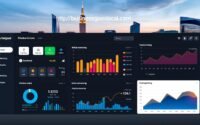
MRN AI Smart Business Dashboard: Passive Income Tools
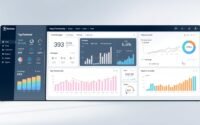
Unlock Business Insights with the MRN AI Smart Dashboard

Boost Business Growth with MRN AI Smart Business Dashboard
About The Author
